

Live Customer Portals: Could Your Website Reduce “Customer Service” Calls?
Give customers a clearer view of progress, keep approvals moving and help your team spend less time chasing updates.
“Has my order started?” “When will the technician arrive?” “Did you receive my approval?”
These are reasonable customer questions. But when answering them means interrupting a supervisor, searching an inbox or calling someone on site, a two-minute conversation can create a much longer disruption.
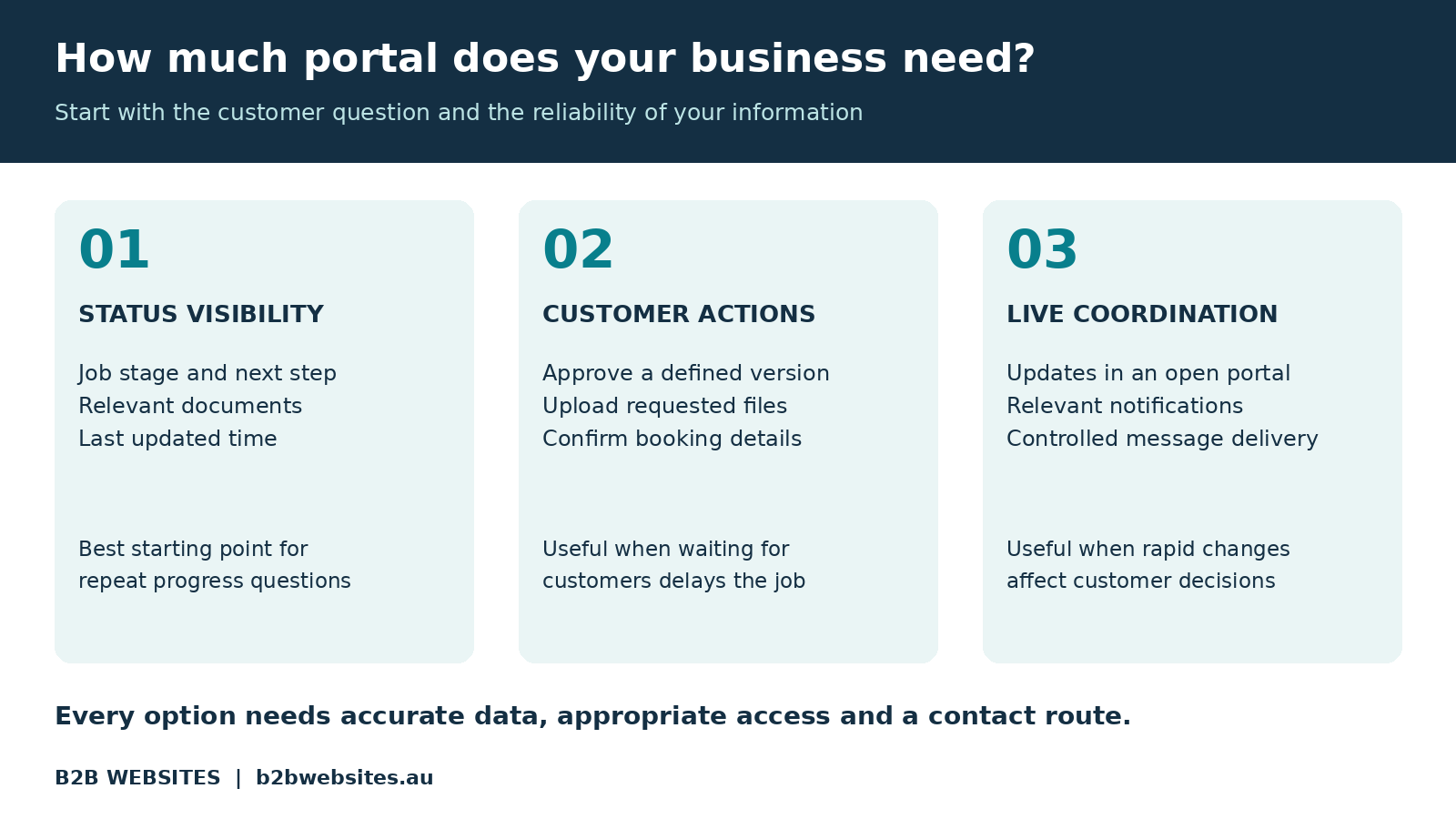
A customer portal can give customers a secure place on your website to check their job, access documents and complete the next action. Connected to the systems your team already uses, it can reduce routine follow-up and make your business easier to deal with.
The investment makes sense when customers repeatedly need information you can keep accurate. Start there: identify the question that consumes the most time, then decide whether a portal is the best way to answer it.
What is a customer portal on a business website?
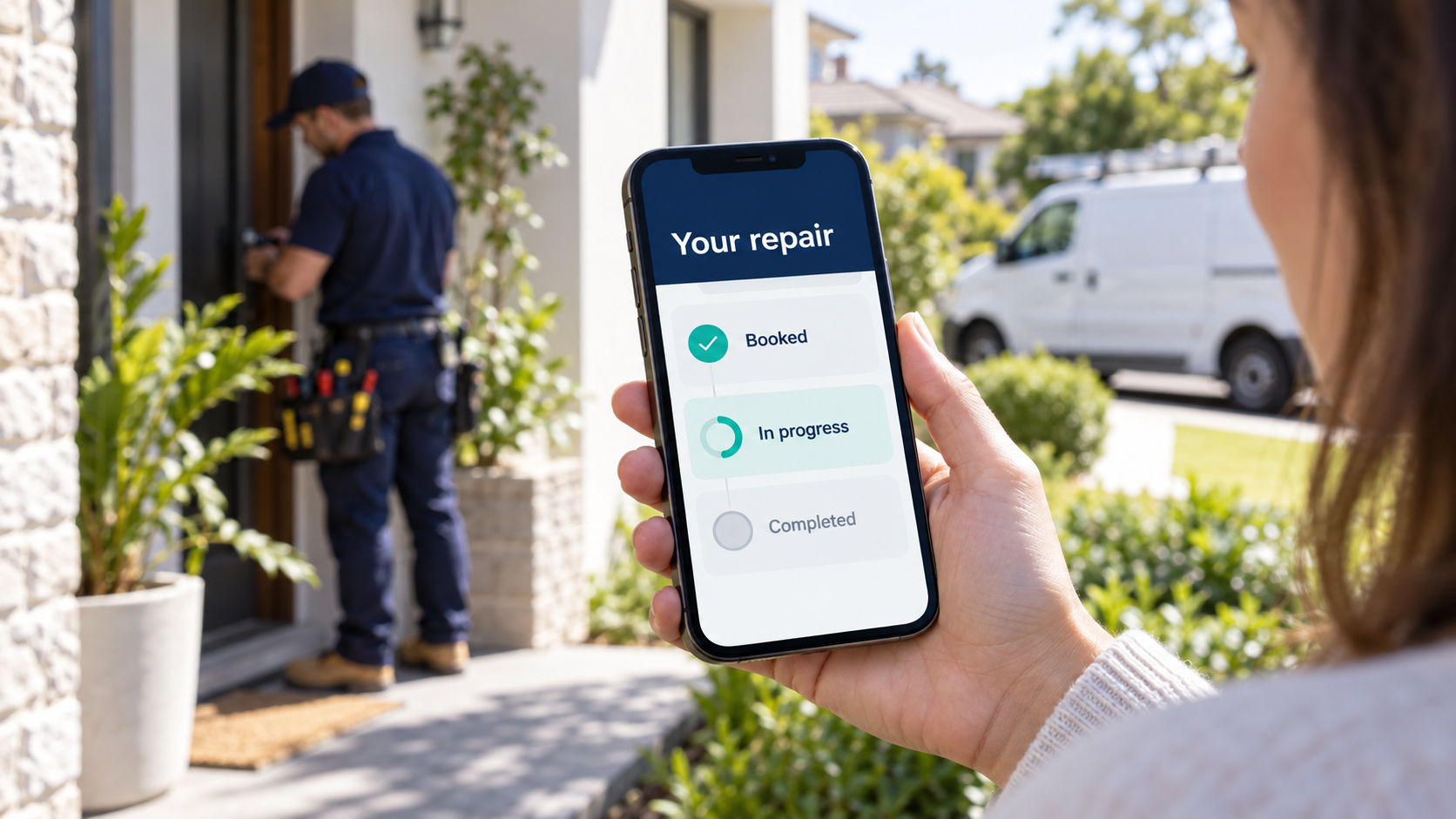
A customer portal is a private area where customers sign in to see information and perform actions relevant to their account. For a service business, that might mean checking a booking, approving a variation or downloading a completed job report.
Your public website helps people discover and choose your business. The portal supports what happens after they become a customer. Both should feel like parts of the same experience, with clear navigation and a practical mobile layout.
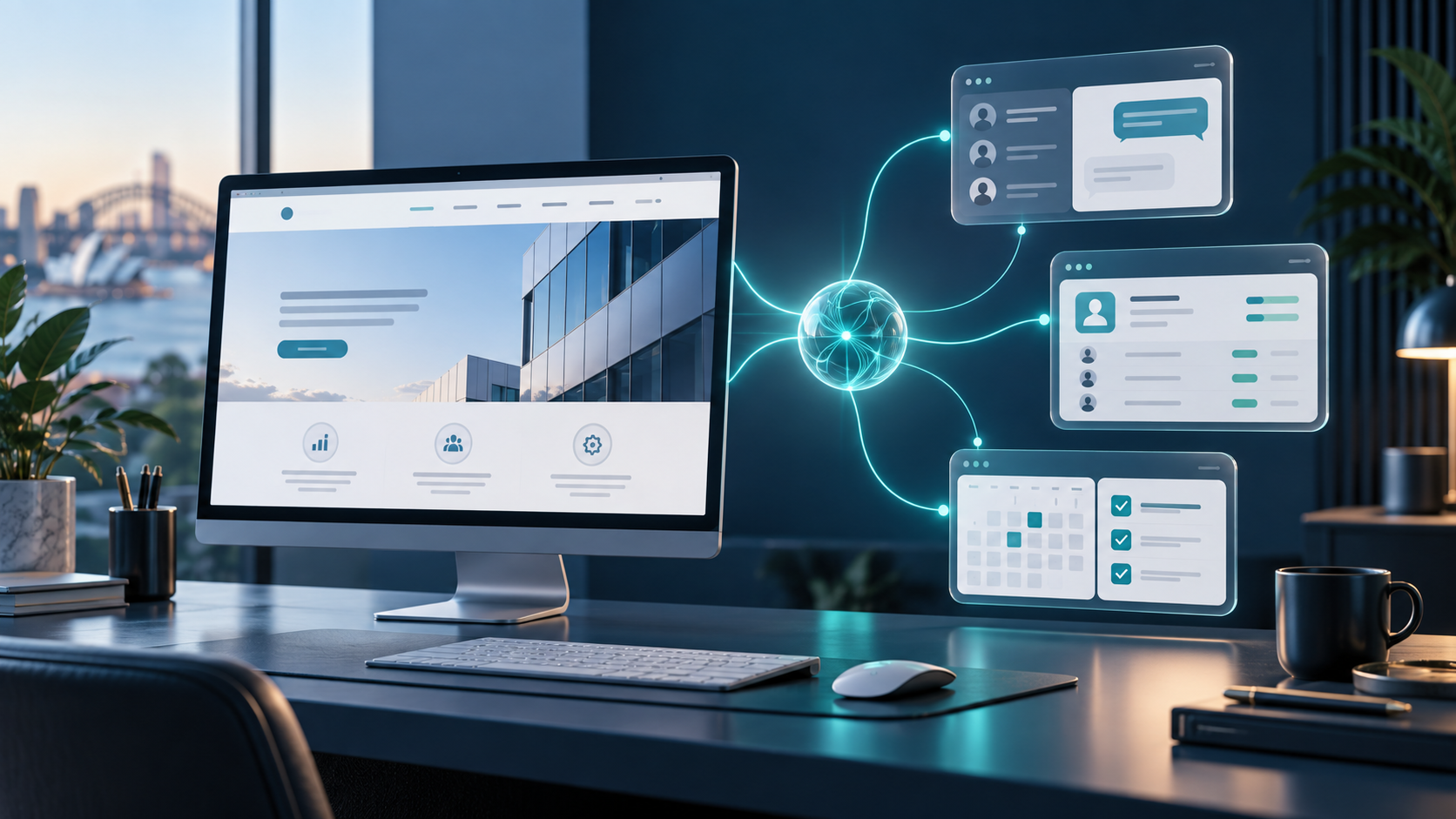
The useful connection is behind the screen. If staff already update a job management system, approved information can flow from that system into the portal. Customers get visibility without your team maintaining another spreadsheet. Our article on integrated software solutions for business websites explains this broader approach.
Why consider a live customer portal now?
On 15 September 2026, Xano introduced Workspace Realtime, including tools for message authentication and controlled delivery to recipients. Its official release notes describe capabilities developers can use when building live portals and dashboards.
For an owner, the potential benefit is straightforward: a customer’s open portal can receive an approved status change without requiring a manual page refresh. The release provides building blocks; a working customer portal still needs design, integration, access controls and testing.
Instant updates are useful only when the business process warrants them. A dispatch dashboard may benefit from frequent changes. A fabrication job that moves through one stage each day may be well served by milestone updates and an email notification.
Choose the update frequency around the customer’s decision. Ask what they need to know, how quickly they need it and what happens if the information is delayed.
Start with the questions your team answers repeatedly
Before commissioning a portal, record routine customer enquiries for a working week. Note the question, where the answer lives and how much staff effort it takes to find and communicate it.
Look for repeated patterns: progress checks, appointment confirmations, missing documents, approval reminders and delivery questions. Separate them from conversations that need judgement, reassurance or a discussion about scope.
A useful first target has three qualities: customers ask about it often, your business already holds the answer, and sharing it would help them act or plan. If the answer exists only in someone’s head, improve that part of the workflow before promising customers live visibility.
This is the same operational issue explored in The Biggest Waste of Payroll Isn’t Staff: capable people lose time when the systems around them create unnecessary handling.
What could your customers actually do?
The examples below are illustrative possibilities, not claims about results achieved by particular clients.
Trades and property services: A customer checks the scheduled visit, reads preparation instructions and sees whether a repair is awaiting parts. An authorised contact approves additional work against a clearly identified scope and price.
Printing and manufacturing: A buyer reviews the correct artwork or drawing version, records approval and checks the production stage. The portal distinguishes an estimated dispatch date from a confirmed one, avoiding an accidental promise.
Transport and logistics: A business customer checks booking details and accesses delivery documents. Estimated arrival information appears only where a reliable source supports it; a portal does not create vehicle tracking by itself.
Professional services: A client sees which documents are outstanding, uploads requested information and checks the next milestone. Sensitive material is limited to the people who need it.
In each example, the strongest first feature answers a familiar question or removes a specific delay. An impressive dashboard with little useful information gives customers another place to look.
Connect the portal to a dependable source of information
Decide which system owns each piece of information. The job platform might own progress, the accounting system might own invoice status, and the customer relationship management system might own contact details.
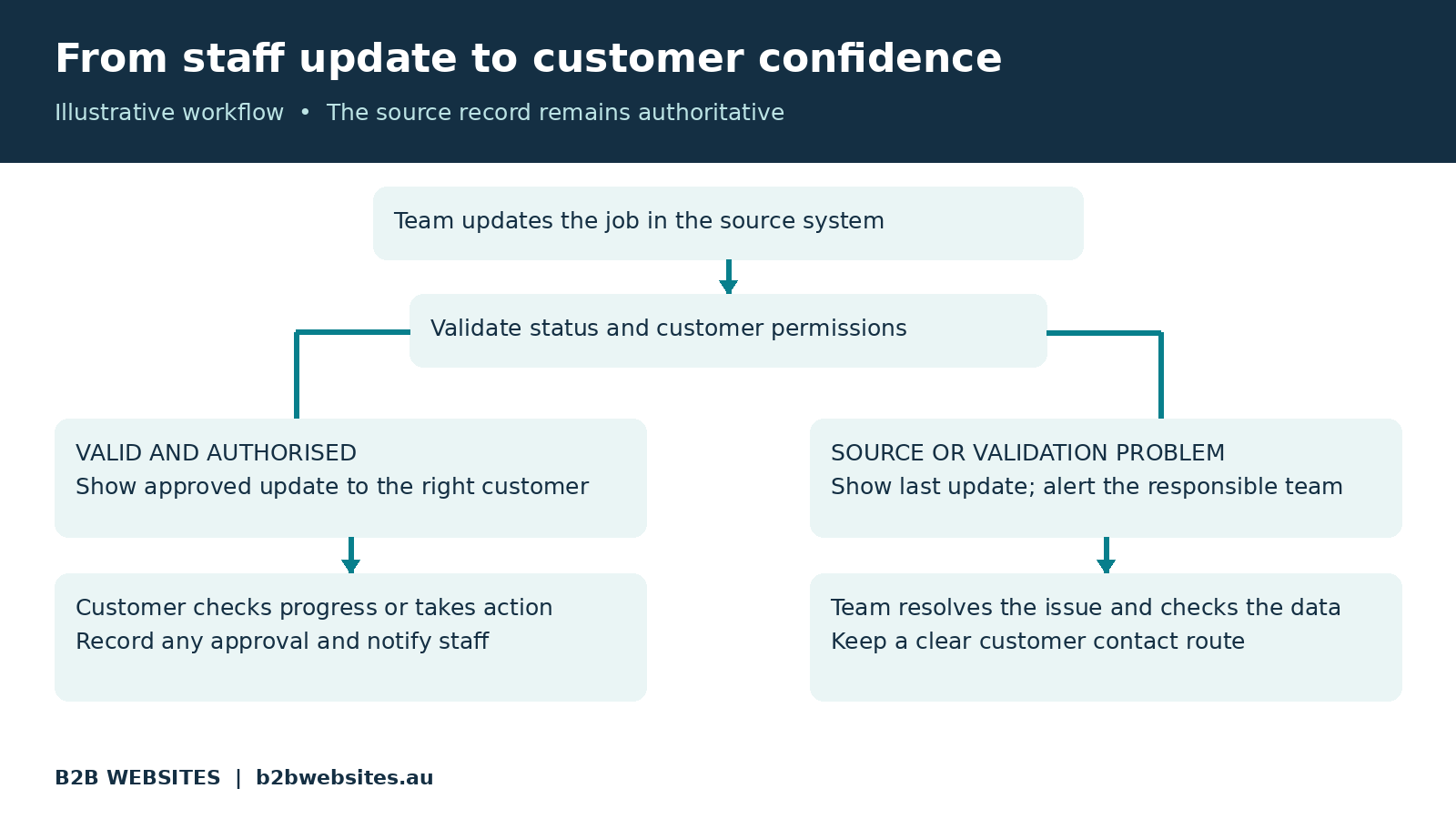
The portal should display the appropriate information from those sources, with clearly defined rules for any changes customers can make. If an integration fails, show the last successful update and give customers a way to contact the team. An old status should not look like a fresh confirmation.
Approvals deserve particular care. Record who approved what, which version they saw and when they acted. Staff need a clear notification and a way to handle changes after approval. Clicking a button should not silently overwrite the evidence of an earlier decision.
For businesses exploring a custom build, our article on Webflow, Xano and Wized for inventory-based businesses introduces how a website interface can connect with operational data. The right platform combination depends on your existing systems and requirements.
Make it easy enough that customers will use it
A customer should quickly understand three things: the current stage, what happens next and whether anything is required from them. Use familiar language such as “Awaiting your approval” and “Scheduled for Thursday” rather than internal department codes.
Keep mobile use central. Customers may open an update while travelling, between meetings or on a worksite. Clear text, accessible controls and a short path to the relevant job matter more than decorative charts.
Notifications can bring people back when something meaningful changes. Send a useful email or SMS with a secure route to the relevant item; avoid sending an alert for every internal edit. Keep confidential details out of message previews.
Retain a visible contact option for exceptions. A portal should help a customer get an answer, including knowing when to speak to someone. The usability principles in Elements of a High-Converting Website also matter after the sale: make the next step clear and remove avoidable friction.
Access permissions belong in the first discussion
A login screen is only the beginning. Your system must check that each person is entitled to view the particular job, document or message they request, including through direct links and background data requests.
Business customers may have several roles. A site contact might check progress, a manager might approve variations, and an accounts contact might view invoices. Agree those differences before building the screens.
Ask your developer to demonstrate separation between customer accounts using test users. Include access removal when someone leaves, secure document delivery and the behaviour of expired sessions. For live updates, confirm that messages reach only authorised recipients and that permission changes are respected.
Keep private job information separate from your public marketing content. Our guide to making your business website AI-readable concerns discoverable business information. Customer records need controlled access; hiding a page from navigation or search results does not provide that protection.
Should you buy a portal or build one?
Check your current software first. Your job management, ecommerce or industry platform may already offer a customer portal that handles the main requirement. Compare the customer experience, permissions, integration options and ongoing fees before commissioning custom work.
A custom portal becomes more relevant when customers need one view across several systems, when existing permissions are too limited, or when your approval and delivery process differs materially from the standard software workflow.
You may be able to retain your public website and connect a separate secure application. A full website rebuild is not automatically required. The assessment should establish what can be reused and which parts need development.
AI is optional. A well-designed status page can answer “Where is my job?” directly. If you later add an AI assistant, it must respect the same permissions and use reliable job records, with a clear response when an answer cannot be confirmed.
What should the investment include?
Ask for a scoped estimate covering discovery, customer screens, system connections, data preparation, permissions, testing, staff training and launch support. Clarify what is included in the first version and how additional requests will be priced.
Ongoing costs can include hosting, platform subscriptions, messaging, integration monitoring, backups, maintenance and support. Ask who notices a failed connection and who restores service. Agree ownership and export arrangements for your data, alongside the handover documentation you will receive.
Our article on why hosting matters for business websites offers relevant background. A portal also needs attention to the availability of every system supplying its information.
Request a demonstration of failure scenarios as well as the ideal journey. What does a customer see if the source system is unavailable, an approval is submitted twice or an update arrives late? These details affect everyday confidence in the service.
Measure whether it earns its place
Collect a baseline before launch, then compare similar workloads during a pilot. Track routine status enquiries per active job, staff time spent handling them, approval turnaround and how many invited customers use the portal.
For illustration, assume your team handles 100 status enquiries a week, averaging four minutes each. If a pilot reduces those enquiries by 30%, that represents 120 minutes, or two hours, of weekly handling time. These are example assumptions, not a forecast or a client result.
Subtract the time needed to maintain the portal and help customers use it. Recovered staff capacity becomes valuable when it supports productive work; it is not automatically a reduction in wages.
Ask customers what helped and what remained confusing. If they still call, investigate whether information is stale, the login is difficult or the portal leaves the next step unclear. Those findings are more useful than counting logins alone.
Start with one useful journey
Choose one customer group, one job type and one repeat question. Build the smallest complete journey that answers it, including the staff update, the customer view and the route for exceptions.
Pilot with a small group willing to give feedback. Check the information against actual jobs, observe customers using it on their phones and confirm who owns ongoing updates. Expand once the workflow is dependable and the benefit is visible.
At B2B Websites, we build websites, custom web applications and connected business systems. If your team spends too much time locating updates for customers, talk to us about a customer portal. We can help assess your existing setup and scope a practical first version around how your business works.
Frequently asked questions
Can a customer portal be added to my existing website?
Often, yes. It may be integrated with the existing site or delivered as a connected application with consistent branding. Your website platform, business software, access requirements and integration options determine the suitable approach.
Does my customer portal need live updates?
Only where rapid changes help customers make decisions. Milestone updates or scheduled synchronisation may be sufficient. Define acceptable delays, display the last update time where useful and make sure the underlying business records stay current.
How much does a customer portal cost?
Cost depends on features, connected systems, permissions, data quality and support requirements. Compare an existing software portal with a scoped custom option. Request both implementation costs and ongoing operating costs before deciding.
Will a customer portal reduce customer phone calls?
It can reduce routine status enquiries when information is accurate, accessible and useful. Results depend on customer adoption and your workflow. Keep personal support available and measure enquiry rates and staff effort during a pilot.









%2520-%2520Main%2520Image.jpeg)
Versatility Across All Platforms


How can i help you today?


